
Jabula Bets is a South African bookmaker that has gained traction among Botswana players thanks to its broad selection of sports betting options. From football and rugby to tennis and basketball, the platform covers pre match and live betting markets. To place wagers, withdraw funds, or claim promotional offers, you need to create a personal account first.

Jabula Bets Registration in Botswana - Complete Sign-Up Guide
Min.payout
40 BWP
Min. deposit
15 BWP
Payout Speed
Up to 24 hours
Withdrawal limit
700 000 BWP
Jabula Bets Welcome Bonus
100% up to 8 680 BWP
and 75 FS
Play Now
21+
| New customers only
Jabula Bets Registration Requirements:
- Botswana residency: you must be a resident of Botswana or have a valid address within the country to comply with the platform's regional access policies.
- Legal gambling age: players are required to be at least 18 years old, which is the minimum legal age for placing bets in Botswana.
- First time registration only: each person may hold only one account, so if you already registered previously, creating a duplicate is not permitted.
General Registration Process
Signing up with Jabula Bets typically takes no longer than five minutes. You can complete the process through any modern desktop browser such as Chrome, Firefox, Edge, or Safari.
- Visit the official Jabula Bets website by typing the URL into your browser's address bar and waiting for the homepage to load fully.
- Locate the "Sign Up" button in the upper right corner of the page, then click it to open the registration form.
- Fill in all required fields, including your full name, residential address, email, ID or passport number, phone number, and a secure password.
- Make your first deposit and start exploring the available sports markets to place your initial bets on the platform.
Always use your real personal information when registering. Jabula Bets requires FICA verification before you can withdraw funds, and any discrepancies between your account data and your documents will cause delays.
Registration Through Android/iOS Mobile App
Jabula Bets offers a dedicated Android application that lets you register and bet directly from your phone or tablet. There is currently no iOS app available.
| Feature | Details |
|---|---|
| Operating system | Android 5.0 or higher |
| App size | Approximately 100 MB |
| RAM required | 2 GB minimum |
| Download source | Official Jabula Bets site |
| Price | Free |
Follow these steps to get started on mobile:
1
Open the official website
Open the official Jabula Bets website on your Android device using any mobile browser to access the download section.

2
Complete registration
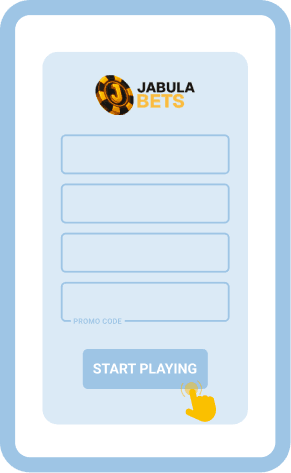
Tap the "Sign Up" button and complete the registration form with your personal details, exactly as you would on the desktop version.
3
Download the APK
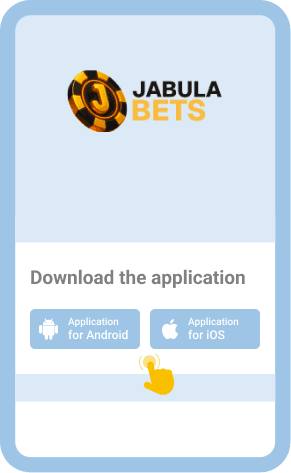
Navigate to the mobile app section and download the APK file. Before installing, go to your device settings and enable installations from unknown sources.
4
Install the application
Open the downloaded APK file and follow the on screen prompts to install the application on your device.

If you prefer not to download the app, you can access Jabula Bets through mobile browsers like Chrome, Opera Mini, or Firefox. The mobile site adapts to your screen size and provides the same core functionality.


SMS/USSD Registration Method
Jabula Bets does not currently support SMS or USSD registration for users in Botswana. The platform does not offer shortcode messaging or USSD dial codes through local mobile operators such as Mascom, Orange, or BTC Mobile. To create an account, please use the website or the Android app as described in the sections above.
Jabula Bets Sign Up Bonuses For Botswana
Jabula Bets rewards both new and returning players with a generous lineup of promotions. New customers can claim a 100% first deposit bonus up to 32 600 BWP by using the promo code MAXBONUS, along with 200 free spins when depositing at least 8 BWP within 24 hours of signing up.
After using the welcome offer, additional promotions become available. A 150% bonus applies to both the second and third deposits (each up to 32 600 BWP). Regular players also receive 8% sports cashback every Thursday and can participate in the Jurenzo Midweek Edge weekly promotion.
No Deposit Bonus
30 FS
Welcome Bonus
100% up to 8 680 BWP
75 FS
Cashback Bonus
8% up to 4 340 BWP
Jabula Bets Registration Common Problems & Solutions
Occasionally, new users run into issues while trying to create their Jabula Bets accounts. Below is a table outlining the common problems and how to resolve them.

Page does not load
Clear your browser cache or try a different browser. Check that your internet connection is stable.

"Email already in use" error
You may have registered before. Try the password recovery option or contact support to verify your status.

Verification code not received
Double check your phone number and email. Look in spam folders. Wait a few minutes before requesting again.

FICA verification rejected
Ensure uploaded documents are clear, valid, and match the details you entered during registration.
Account locked after multiple tries
Wait 30 minutes and try again. If the issue persists, reach out to the Jabula Bets support team directly.
If problems continue, contact the Jabula Bets customer support team through any of the following channels:
- Live chat on the Jabula Bets website
- Email: [email protected]
- Phone: +27 21 565 0777
FAQ
Can I sign up without a Botswana phone number?
Jabula Bets requires a valid phone number during registration, but it does not necessarily need to be a Botswana number. A South African or international number may also work, though having a local number simplifies the verification process.
Is registering with Jabula Bets safe?
Yes, Jabula Bets uses encryption protocols to protect your personal data during registration. The platform also requires FICA verification, which adds an extra layer of security to your account and ensures compliance with regulatory standards.
Can I place bets without creating an account?
No, you need a registered and verified account to access any betting features on Jabula Bets. Registration is required for depositing funds, placing wagers, and withdrawing winnings from the platform.
Do I need a separate account for the Jabula Bets app?
No, a single account works across all platforms. If you registered on the desktop website, simply log in with the same credentials on the Android app without creating a new profile.