Dafabet Online Login
Logging into Dafabet is simple as long as you have a stable internet or Wi Fi connection. There are several ways to access your account depending on the device you prefer.
- Mobile app - best for Android and iOS users with newer devices.
- Website - standard option with all features preserved and full data consumption.
- Mobile site - best for mobile users with limited RAM and storage on their devices.
How to Sign In to Dafabet Account Through Website
Using the Dafabet website is the simplest way to log into your account from any device, whether it is a desktop computer, tablet, or smartphone. The process requires only your login credentials and a working browser. Follow the steps below to access your account.
Website login process:
- Open your browser and navigate to the official Dafabet website using a trusted link.
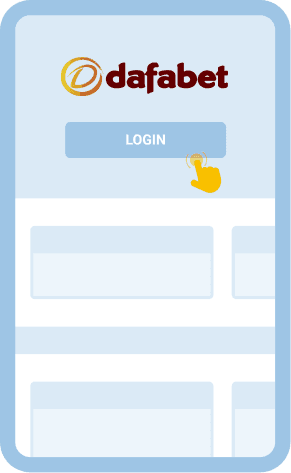
- Locate the "Login" button in the upper right corner of the homepage and click on it.
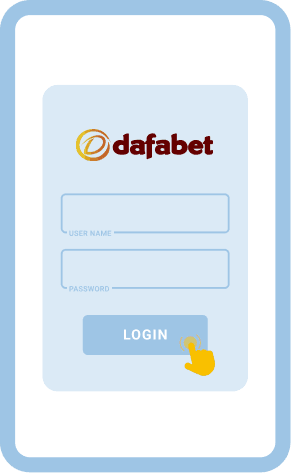
- Enter your registered username and password in the fields that appear on the login form.
- Click the "Login" button to confirm your details and gain access to your account dashboard.
Once you have signed in, you will see your balance displayed and can start exploring sports markets, casino games, and available promotions. If you are using a mobile browser, the site will automatically adjust to fit your screen. The mobile version of the website retains all the core features found on the desktop site, so nothing is lost.
How to Sign In to Dafabet Account Through Mobile App
Dafabet offers a dedicated mobile application called DafaSports, which makes the platform accessible on the go. Both Android and iOS devices are supported, though the requirements differ slightly.
Below are the system requirements for each platform:
| System Requirements |
Android |
iOS |
| OS Version |
Android 5.0 Lollipop or higher (Android 8.0 Oreo recommended) |
iOS 11.0 or higher |
| Storage space |
150 MB |
120 MB |
| RAM |
2 GB |
2 GB |
| Processor |
— |
64 bit (iPhone 5s and later) |
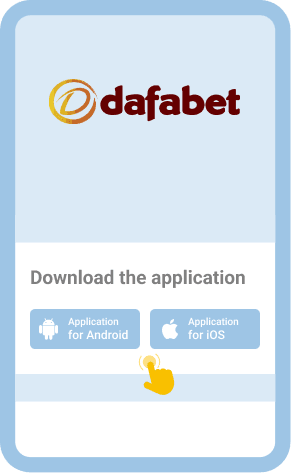
The app is free to download from the official Dafabet website for Android users and from the App Store for iOS users. Here is how to sign in through the app:
Download and install the official DafaSports app from the Dafabet website or the App Store.

Open the app and tap the "Login" button, which is typically located at the top of the screen.

Enter your username and password in the provided fields, then tap "Login" to proceed.

Once authenticated, you will land on your betting dashboard and can start placing wagers immediately.

Offline Login via SMS/USSD
For bettors in Botswana who want to manage internet costs effectively, understanding data consumption matters. While Dafabet does not offer a standalone SMS or USSD login method, the platform does support SMS as part of its two factor authentication (2FA) system. This means you may receive a verification code via text message when signing in, adding a layer of security to your account.
There is no dedicated USSD access or partnership with local mobile operators for zero bundle betting at this time. To log in, you will need an active data or Wi Fi connection. Using the mobile site is a good option for those looking to reduce data usage, since it consumes less bandwidth than the full desktop website.
Common Login Issues at Dafabet Botswana
Even with a user friendly platform, login issues can occasionally arise. Knowing the common problems and how to resolve them helps you maintain uninterrupted access to your betting account.
| Problem |
How to resolve it |
| Forgotten password |
Use the "Forgot Password" link on the login page. You will receive a reset link or verification code via your registered email or phone number. Follow the prompts to create a new password and regain access to your account. |
| Incorrect username or password |
Double check that you are entering the correct credentials. Pay attention to capitalization and avoid extra spaces. If the problem persists, reset your password using the recovery option provided on the login screen. |
| Account locked after multiple failed attempts |
After several unsuccessful login attempts, Dafabet may temporarily lock your account for security purposes. Wait a few minutes and try again, or contact customer support to have the lock removed and your access restored. |
| Slow or unstable internet connection |
A weak connection can prevent the login page from loading properly. Switch to a stronger Wi Fi network or try using mobile data. Clearing your browser cache may also help resolve loading issues. |
| Browser compatibility problems |
Outdated browsers can cause display or functionality issues on the Dafabet website. Update your browser to the latest version or try accessing the platform through a different browser to see if the issue resolves. |
| Two factor authentication code not received |
If you have 2FA enabled and the SMS code does not arrive, check your phone signal and ensure the correct number is linked to your account. Wait a moment and request the code again before contacting support. |
Getting in Touch With Customer Service
If you have tried the solutions above and still cannot access your account, it is time to reach out to Dafabet customer support. The team can assist with account recovery, technical issues, and other concerns. You can contact them through the following channels: