
Betshezi is gaining traction among bettors in Botswana thanks to its coverage of popular sports such as football, rugby, and cricket, including local Botswana Premier League fixtures and African tournaments. The platform also supports payments in South African rands (ZAR), which simplifies financial transactions for Botswana residents. To place bets, access your balance, or claim promotional offers, a successful sign in to your account is required. The login procedure at Betshezi is straightforward and takes only a few moments.

Betshezi Login Guide 2026 - Sports betting sites in Botswana
Min.payout
80 BWP
Min. deposit
40 BWP
Payout Speed
Up to 72 hours
Withdrawal limit
20 000 BWP
Betshezi Welcome Bonus
100% up to 2 170 BWP
and 25 FS
Play Now
21+
| New customers only
Betshezi Online Login
Logging in with Betshezi is a quick process as long as you have a stable internet or Wi-Fi connection. There are several ways to access your account depending on the device you prefer.
- Android app - best for Android users with newer devices
- Website - the standard option with full feature access and maximum data consumption
- Mobile site - ideal for mobile users with limited RAM and storage on their devices
How to Sign In to Betshezi Account Through Website
The website is the simplest and the most universal way to log in to Betshezi, available on any device with a browser. Whether you are on a desktop computer, tablet, or smartphone, the process remains the same. Follow the steps below to access your account.
- Open your browser and navigate to the official Betshezi website using our direct link.
- Locate the Login button in the upper right corner of the main page and click on it.
- Enter your valid login or email address in the first field of the form that appears.
- Type your password in the corresponding field, making sure there are no extra spaces included.
- Click the Login button to confirm your details and gain access to your personal account.
Once signed in, you will be directed to the main page where all betting options, account settings, and your current balance are visible. If you are using a mobile browser, the mobile site version loads automatically. The mobile site preserves full functionality while adapting the layout to smaller screens, so no features are lost.
How to Sign In to Betshezi Account Through Mobile App
Betshezi offers a dedicated Android application, making account access on mobile devices fast and convenient. iOS users who do not have a native app available can still log in through the mobile site using Safari or any other browser on their device.
| App feature | Details |
|---|---|
| Operating system | Android 9.0 Pie or higher |
| Cost | Free |
| Download size | 150 MB |
| Minimum RAM | 1 GB |
Follow these steps to log in through the Betshezi Android app:
1
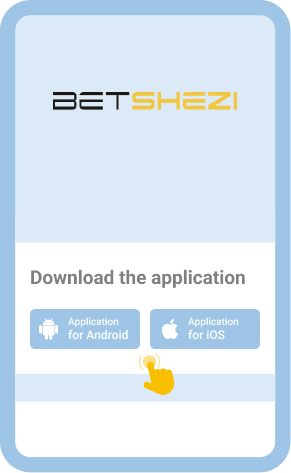
Download the official Betshezi app
Download app from the bookmaker's website and install it on your device.
2
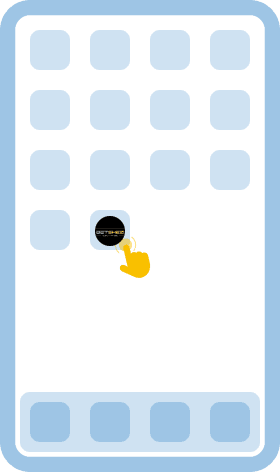
Launch the app
Tap the Login button which is typically located at the top of the screen.
3
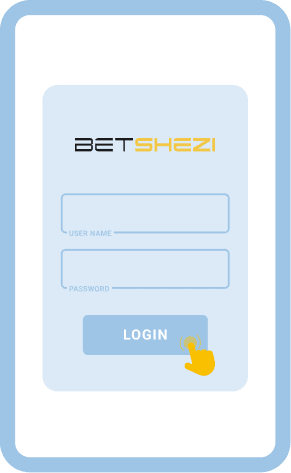
Fill out the form
Enter your registered email or login and your password in the corresponding fields on the form.
4
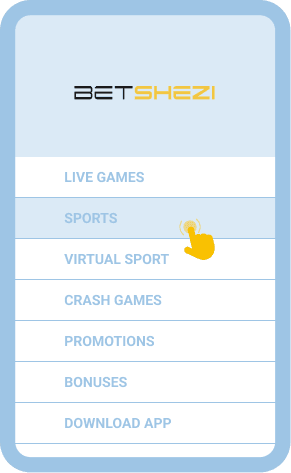
Start playing
Tap the sign in button to complete the process and access your personal betting dashboard immediately.
After a successful login, the app remembers your session, so repeated sign ins are not always necessary. For iOS users, the mobile site offers an identical login flow accessible through any browser.

Welcome Bonus
100% up to 2 170 BWP
25 FS
Common Login Issues at Betshezi Botswana
Even with a user friendly platform, login issues can occasionally arise. Understanding the common problems and their solutions helps ensure uninterrupted access to your betting account on Betshezi.
| Issue | Solution |
|---|---|
| Forgotten password | Use the "Forgot Password" option on the login page. Betshezi will send a password reset link to your registered email. Follow the instructions in the message to create a new password and regain access to your account. |
| Incorrect login details | Double check that you are entering the correct email or login and password. Pay attention to uppercase and lowercase letters and make sure there are no accidental spaces. Re type your credentials carefully before trying again. |
| Account locked after multiple failed attempts | If you have entered incorrect credentials several times, the system may temporarily lock your account for security. Wait a few minutes before attempting again, or contact customer support for assistance with unlocking. |
| Slow or unstable internet connection | A weak connection can prevent the login page from loading properly. Switch to a more stable Wi-Fi network or try using mobile data. Refreshing the browser or restarting the app may also resolve the issue. |
| Browser compatibility problems | Clear your browser cache and cookies, then try logging in again. Alternatively, switch to a different browser or update your current one to the latest version for optimal compatibility with the Betshezi website. |
| App not loading the login screen | Make sure your Betshezi app is updated to the latest version. If the problem persists, uninstall the app and reinstall it from the official website. Restarting your device can also help resolve temporary glitches. |
Getting in Touch With Customer Service
If the issues described above do not resolve on their own, reaching out to Betshezi customer support is the recommended next step. The support team can assist with account recovery, technical problems, and any other login related concerns. You can contact them through the following channels:
- Live chat available directly on the Betshezi website and app
- Email at [email protected]
FAQ
Can I sign in to my Betshezi account after a long period of inactivity?
Yes, your Betshezi account remains active even after extended periods without use. Simply enter your login credentials as usual. If you have forgotten your password, use the password recovery option on the login page to reset it and regain access.
Is it safe to log in to Betshezi on public Wi-Fi?
Logging in on public Wi-Fi carries certain security risks, as shared networks can be vulnerable to interception. It is advisable to use a private connection or enable a VPN for added protection. Always log out of your account after finishing your session on a public network.
Can I use biometric authentication to sign in to Betshezi?
Yes, if your smartphone supports fingerprint or facial recognition, you can use biometric login through the Betshezi mobile app or mobile site. Enable this feature in your device settings after your first manual login to speed up future access to your account.