
Betpawa stands out in Botswana as a favorite platform among sports enthusiasts who enjoy simple navigation and a wide selection of markets. Players turn to Betpawa for its quick processes, user-friendly design, and consistent performance across devices. Logging in is a key first step because all the best features and personalized settings wait behind the sign-in screen.

Many users in Botswana choose Betpawa because they want quick access to live odds, fast event updates, and exclusive features. The login procedure consistently proves fast and straightforward, giving you immediate entry to the action.

Betpawa Online Login

Logging in to Betpawa takes only a few moments with a reliable internet or Wi-Fi connection. You can use several devices and access options based on your preferences.

  • Mobile app – Ideal for Android users who want a seamless betting experience on the move.
  • Website – Suitable for those who prefer a larger screen and full site features directly from their browser.
  • Mobile site – Perfect for users with limited device space or slower connections who still want a smooth interface.

How to Sign In to Betpawa Account Through Website

The website login method offers the easiest way to access your Betpawa account from any compatible device. This process works smoothly for both desktop and mobile users through any standard web browser.

Website Login Process:

  1. Go to the official Betpawa site. Enter the URL in your browser or use a trusted shortcut.
  2. Tap the Login button and fill out the form. Provide your phone number or email and your secure password.
  3. Complete the login and enter. You will instantly reach your dashboard where you can start placing your bets.

At this time, Betpawa does not feature a lite version of their website. All users access the main site, which stays efficient and user-friendly on a broad range of devices.

How to Sign In to Betpawa Account Through Mobile App

Betpawa gives Android users in Botswana a dedicated app for direct access, while those using iOS can visit the mobile site from any browser. The Android app delivers smooth navigation, quick updates, and all the same features as the website.

System Requirements Android iOs
OS Version Android 5.0 or higher -
RAM At least 1GB RAM recommended -
Storage space Needs a minimum of 1.85MB -
Internet Requires stable internet for full app functionality -

To log in using the Android app, download it directly from the official Betpawa site since it is not available in the Google Play Store. After installing the app, open it and use your registered information to access your account. iOS users can log in with their details through the optimized mobile website, which mirrors the app’s functions for easy betting on the go.

1
Download the Betpawa app

Get it from the official Betpawa website and install it on your device.
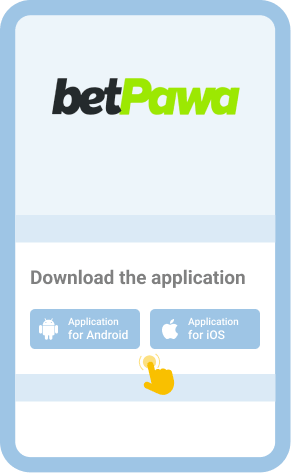
Download the Betpawa app

2
Open the app and tap the Login button

Find this button on the home page after launching the app.
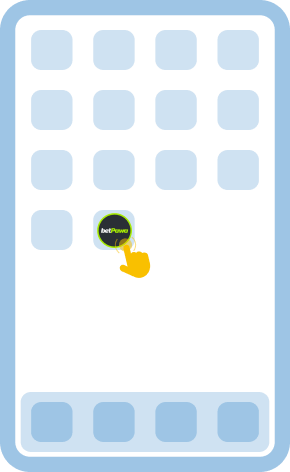
Open the app and tap the Login button

3
Input your details and access your account

Enter your registered number or email and password to proceed.
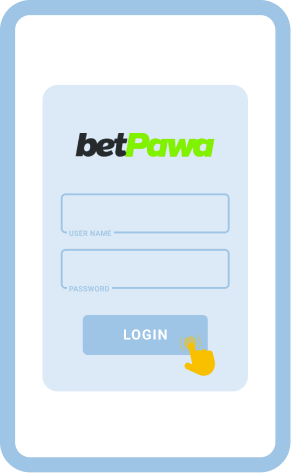
Input your details and access your account

4
Get started with your account

Explore bets, check your account, or navigate any feature you like.
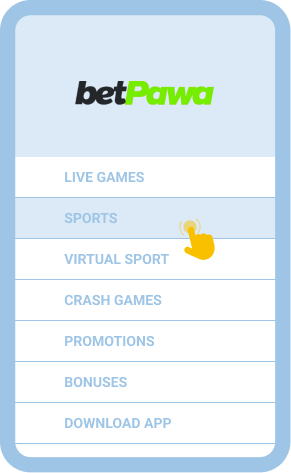
Get started with your account

Common Login Issues at Betpawa Botswana

Even with betpawa’s streamlined login interface, you might sometimes run into problems while signing in. Knowing the main causes and what steps to take helps you keep your account accessible and minimize disruptions.

Problem How to resolve it
Forgot password Click the “Forgot Password” option on the login page. Follow the prompts to reset your password using your phone or email and set a new one to regain access.
The login page won’t load Check your internet connection and restart your browser. If the issue persists, clear cache, update your browser, or try another device.
App/site crashes Restart your mobile or computer and try again. If this fails, update your app or switch to the website until the issue is resolved.
Account lockout Repeated failed attempts may temporarily block your account. Wait at least 20 minutes, then try again or reach out to Betpawa support for faster help.

Getting in Touch With Customer Service

If you still cannot log in, contact Betpawa customer support for quick help. Use these channels:

  • Facebook Messenger: @betPawaKenya
  • Telegram: @betpawa_kenya_bot

FAQ

Can I sign in after inactivity for a while?
Yes, you can regain access to your Betpawa account at any time. Just use your regular login details on the site or app.
Is it safe to log in to Betpawa on public Wi-Fi?
Public Wi-Fi exposes your data to some risk. For better security, use private connections and avoid saving your password when using shared networks.
Can I sign in to Betpawa with biometrics?
You can access your account using biometrics such as fingerprint or facial recognition on the mobile app or compatible mobile browsers for supported devices. This offers convenience and extra security for your account.