BetKing Online Login
Logging in with BetKing is simple as long as you have a stable internet or Wi-Fi connection. There are several ways to access your account depending on the device you use:
- Mobile app - best for Android and iOS users with newer devices.
- Website - standard option with all features preserved and full data consumption.
- Lite version - ideal for users with slower internet connections or older devices.
- Mobile site - suitable for mobile users with limited RAM and storage on their devices.
How to Sign In to BetKing Account Through Website
Using the website is the simplest way to log in to BetKing from any device, whether it is a desktop computer, laptop, or smartphone. All you need is a browser and your account credentials.
Follow these steps to access your account:
- Open your browser and navigate to the official BetKing website using a direct link.
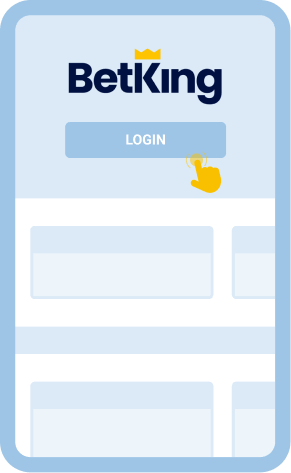
- Locate the "Login" button in the upper right corner of the homepage and click on it.
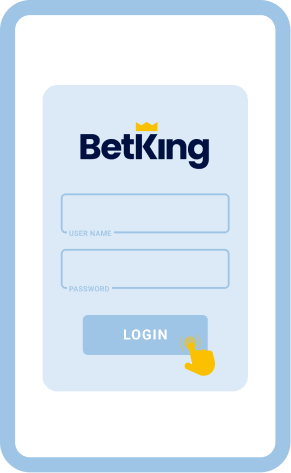
- Enter your username or mobile number along with your password in the form that appears.
- Click "Login" to complete the process and gain full access to your betting account.
BetKing also offers a Lite version of its website, which is a simplified interface designed for users with slower internet connections or older devices. This version loads faster and consumes less data while keeping core betting features intact. It strips away heavy graphics and animations, making navigation smoother on low performance phones.
To log in through the Lite version, follow these steps:
- Enter mlite.betking.com in your browser.
- Wait for the lightweight page to load.
- Tap the "Login" button at the top.
- Enter your username and password.
- Press "Login" to access your account.
You can also switch to Lite mode from the main mobile site by opening the menu and selecting "Switch to M Lite."
How to Sign In to BetKing Account Through Mobile App
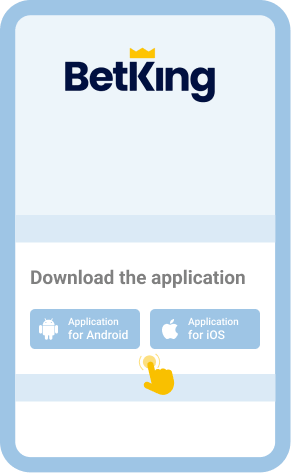
BetKing is widely accessible through mobile devices thanks to dedicated apps for both Android and iOS.
The app can be downloaded from the app store or the mobile version of the website.
| Feature |
Android |
iOS |
| App name |
BetKing |
BetKing |
| Operating system |
Android 8.0 or higher |
iOS 13 or higher |
| Storage required |
200 MB |
150 MB |
| RAM required |
2 GB |
2 GB |
| Cost |
Free |
Free |
Follow these steps to log in through the BetKing mobile app:
from the app store or the mobile website.

Tap the BetKing app icon on your device homescreen to launch your newly installed app.

Tap the "Login" button which is typically located at the top of the screen.

Make a minimum deposit, bet on sports, and explore the BetKing application.

Offline Login via SMS/USSD
BetKing does not currently support offline login through SMS or USSD codes in Botswana. There are no partnerships with local mobile operators that allow users with zero data bundles to access the platform without an internet connection. If you want to reduce data usage, the Lite version of the website is the recommended alternative, as it consumes significantly less data than the full site or app.
Common Login Issues at BetKing Botswana
Even with a user friendly platform, login issues can occasionally occur. Understanding common problems and their solutions helps ensure uninterrupted access to your betting account.
| Issue |
Solution |
| Forgotten password |
Use the "Forgot Password" option on the login page. BetKing will send a reset link or code to your registered phone number or email. Follow the instructions to create a new password and regain access. |
| Incorrect username or phone number |
Double check the username or mobile number you entered. Make sure there are no extra spaces or typos. If you cannot remember your username, try using your registered phone number instead. |
| Account locked after multiple failed attempts |
BetKing may temporarily lock your account for security reasons after several wrong password entries. Wait a few minutes before trying again, or contact customer support to unlock your account. |
| Slow or unstable internet connection |
Switch to a more reliable network or try connecting through Wi-Fi. You can also use the BetKing Lite version, which requires less bandwidth and loads faster on weaker connections. |
| App not loading or crashing |
Ensure your app is updated to the latest version. Clear the app cache or reinstall it from the app store. Check that your device meets the minimum system requirements for the BetKing app. |
| Browser compatibility issues |
Try clearing your browser cache and cookies, then reload the page. If the problem persists, switch to a different browser such as Chrome, Safari, or Firefox for a smoother experience. |
Getting in Touch With Customer Service
If your login problems persist after trying the solutions above, reach out to BetKing customer support directly. The team is available around the clock and can assist through several channels:
- Live chat on the BetKing website or app
- Email at [email protected]
- Call Centre: 02013307247 or 02018885464